
At Faith Electric, we’ve been manufacturing UL/ETL listed electrical products for the North American market for 28 years. We see contractors and homeowners run into the same issue again and again when installing GFCI outlets: confusion around the Line and Load terminals. Get this wrong, and the device either won’t reset or won’t protect the circuit properly. This guide walks through what these terms mean, why the distinction matters, and how to wire correctly—based on real installations and the latest NEC requirements.
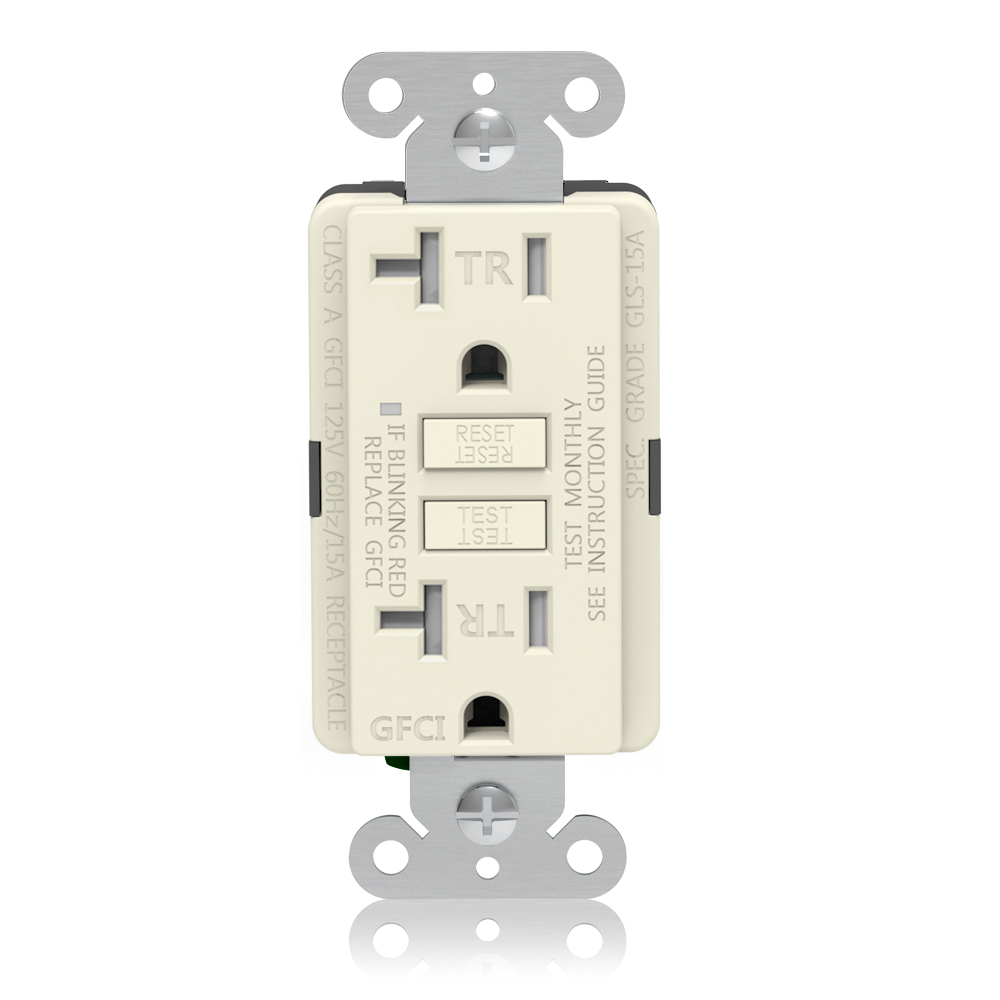
What Is a GFCI Outlet and How Does It Work?
A Ground Fault Circuit Interrupter (GFCI) outlet monitors current flow between the hot and neutral wires. If it detects an imbalance of 4–6 milliamps—often from current leaking through water, a person, or a damaged appliance—it trips and cuts power in milliseconds. That speed prevents serious shocks or electrocutions.
Modern GFCIs include TEST and RESET buttons for manual checks, plus LED indicators on many models to show status or end-of-life. Since around 2015, UL standards require automatic self-testing—monthly checks that flag faults and lock out reset if the unit fails.
The NEC mandates GFCI protection in wet or damp locations to reduce electrocution risk. Data from the Electrical Safety Foundation International (ESFI) and CPSC estimates that proper GFCI use could prevent about 47% of current residential electrocutions.
Faith Electric’s UL/ETL listed GFCIs are built for these environments, with clear terminal markings and reliable internals that hold up in North American jobsites.
What Does “Line” and “Load” Mean on a GFCI Outlet?
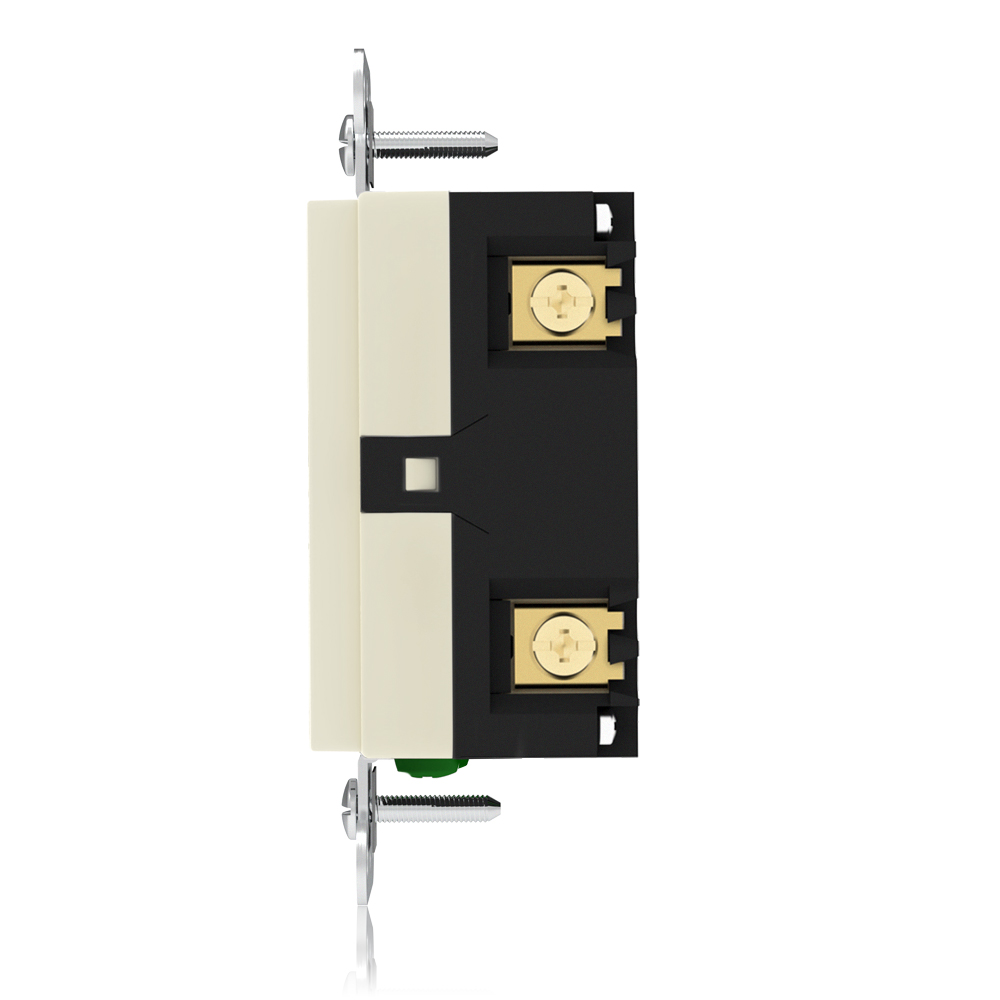
Line terminals connect incoming power from the breaker panel. This is the supply side—always required. The hot (black) wire goes to the brass or gold Line screw, neutral (white) to the silver Line screw.
Load terminals send protected power downstream to standard outlets or devices on the same circuit. This is optional. Use Load only when you want one GFCI to cover multiple points downstream. Hot to brass Load screw, neutral to silver Load screw.
New GFCIs ship with yellow tape or stickers covering the Load terminals as a warning. Remove it only if you’re using them. Line terminals stay visible.
| Feature | Line Terminals | Load Terminals |
| Purpose | Incoming power from panel | Protected output to downstream |
| Required? | Yes | No (optional) |
| Protection Scope | This GFCI only | This GFCI + all downstream outlets |
| Factory State | Visible, no tape | Covered by yellow tape/sticker |
| Cables Needed | At least one | Two (Line + outgoing) |
End point: Line powers the GFCI itself. Load extends that protection—use it strategically.
What Happens If You Mix Up Line and Load?
Wire incoming power to the Load side instead of Line, and the GFCI usually won’t reset. The TEST button may fail, or the outlet stays dead. Even if it powers on, downstream protection disappears—leaving the circuit exposed.
Reverse wiring also risks nuisance tripping or code violations. Insurance adjusters check for proper GFCI setup after incidents. In short, miswiring turns a safety device into a liability.
We’ve seen this in field returns: a quick swap to correct terminals fixes the reset issue every time.
How to Identify Line vs Load Wires (Step-by-Step)
Correct identification is the first step before any wiring.
Step 1: Turn off power at the breaker
Always verify with a voltage tester.
Step 2: Check how many cables are in the box
- One cable → LINE only
- Two cables → LINE + LOAD present
Step 3: Use a voltage tester
- Energize briefly if needed
- The wire with voltage is LINE
Step 4: Look for markings on the GFCI
- LOAD terminals are often covered with yellow tape
- Labels are always printed on the back
Important note:
Do not rely on terminal position (top/bottom). Always follow markings.
At this stage, you should clearly know which wires bring power and which continue the circuit.
How to Wire a GFCI Outlet Correctly
Safety rule one: breaker off, lock it out, test for zero voltage.
Scenario 1: Protect only this outlet (Line-only)
- One cable in the box.
- Black (hot) to brass Line screw.
- White (neutral) to silver Line screw.
- Bare/green ground to green screw (pigtail if needed).
- Leave Load terminals taped or cap unused wires.
- Tuck wires, mount outlet flush, install cover plate.
Scenario 2: Protect this outlet + downstream (Line + Load)
- Two cables. Identify Line as above.
- Connect Line hot/neutral/ground as in Scenario 1.
- Peel off yellow tape from Load terminals.
- Connect downstream hot to brass Load screw.
- Downstream neutral to silver Load screw.
- All grounds pigtail to green screw.
- Never mix Line and Load neutrals—keep separate.
- Tuck, secure, cover.
After wiring, restore power and press RESET. It should click in.
These steps match thousands of installations we’ve supported. Faith Electric GFCIs have bold, clear markings to reduce mix-ups.
Do You Need to Use the Load Terminals?
Use Load when the circuit has multiple outlets downstream—like a kitchen counter chain or bathroom vanity series. One GFCI covers everything, saving cost and labor since standard outlets are cheaper.
Skip Load if protecting a single point only, or if the circuit already has upstream GFCI (breaker). Also skip if downstream faults would inconvenience the whole area (e.g., one bad appliance trips lights elsewhere).
Place the GFCI at the first outlet in the chain for full downstream coverage.
Common GFCI Wiring Mistakes to Avoid
- Reversing Line and Load—prevents reset or kills protection.
- Combining Line and Load neutrals—causes immediate tripping.
- Ignoring yellow tape and wiring Load without need.
- Loose screw connections—arcing or failure over time.
- Skipping ground wire (GFCI functions without it, but NEC prefers it for safety).
- Overcrowding the box—violates fill rules.
- No post-install test—leaves faults undetected.
Avoid these, and most callbacks disappear.
How to Test a GFCI Outlet After Installation
Press TEST—the outlet should trip instantly (power cuts, RESET pops out). Plug in a lamp or tester to confirm. Press RESET to restore.
For Load-wired setups, test downstream outlets too—they should lose power when the GFCI trips.
Self-testing models run automatic checks; watch for LED alerts. Test manually monthly—NEC recommends it to catch degradation.
GFCI Wiring and NEC Code Requirements
The 2023 NEC (Article 210.8) requires GFCI protection for personnel in specific dwelling locations:
- All kitchen receptacles (125–250 V, not just countertops).
- Garages and accessory buildings.
- Outdoors (single-phase ≤150 V to ground, ≤50 A).
- Areas with sinks and food prep provisions.
- Laundry areas, unfinished basements, crawl spaces.
Protection can come from GFCI receptacles or breakers—must be readily accessible. Self-testing is standard on new units.
Always check local amendments through your AHJ. Faith Electric products meet or exceed these UL/ETL and NEC specs.
Choosing a Reliable GFCI Outlet for Safety
Look for UL/ETL listing, clear Line/Load markings, yellow tape on Load, self-test capability, and tamper-resistant shutters.
Faith Electric GFCIs deliver exactly that—28 years focused on North American contractors, with durable terminals, reliable reset mechanisms, and full wall solutions including USB, standard receptacles, switches, and plates.
FAQs
Why the yellow tape on Load?
It’s a factory warning—remove only if protecting downstream.
What if I reverse Line and Load?
Usually no reset, no protection—swap wires to fix.
Can I use GFCI without ground wire?
Yes, it works, but connect ground if available—safer and code-preferred.
How do I know downstream is protected?
Trip the GFCI—downstream outlets should lose power.
Self-testing—what does it do?
Automatically checks monthly; flags failure with LED or lockout.
NEC kitchen rule change in 2023?
All receptacles now require GFCI, not just countertop ones.
When to call a pro?
Unsure about wires, multiple cables, no reset after wiring, or complex circuits.
Conclusion
Line brings power in—must connect correctly. Load sends protected power out—use it to cover the chain efficiently. Wire right, test thoroughly, and you get reliable shock protection that meets code.
For North American jobs, our UL/ETL GFCIs are built for exactly this: clear markings, solid performance, and contractor-friendly design. Browse our GFCI outlets series or reach out if you need spec sheets or installation advice. Stay safe on the job.